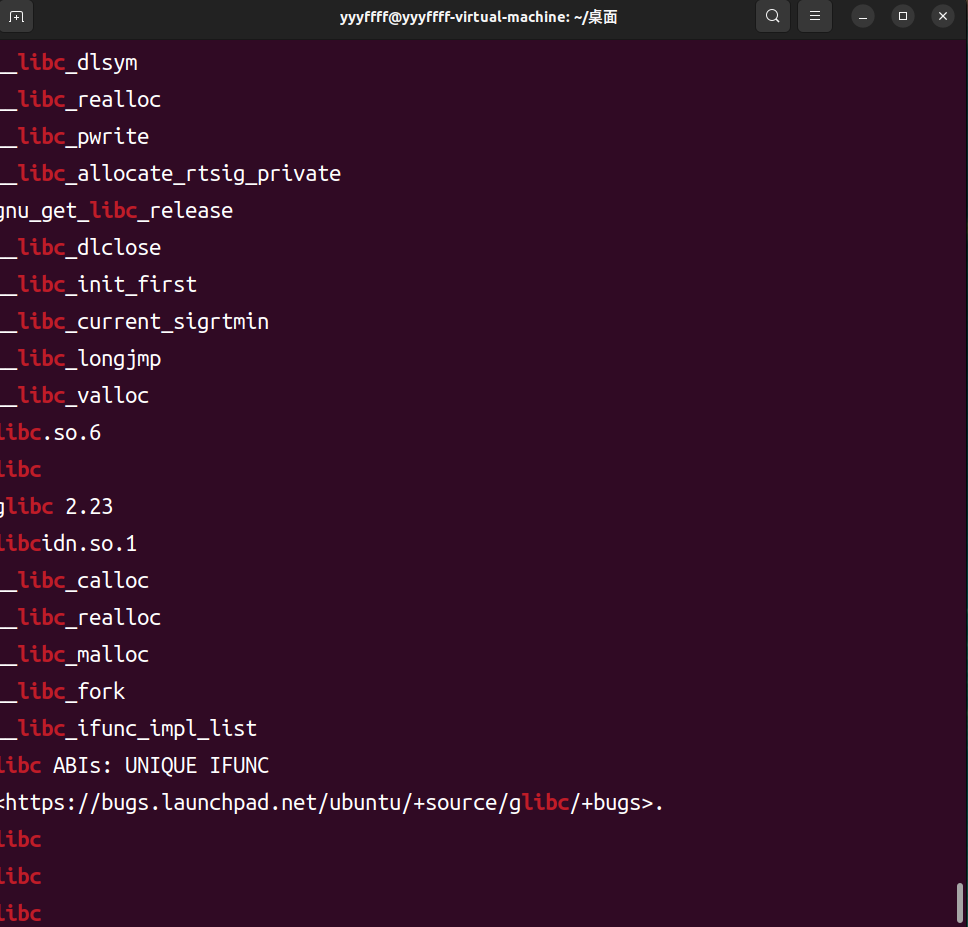
更换对应的libc和ld 确定给的libc.so.6版本
1 strings libc.so .6 | grep libc
在glibc-all-in-one中下载对应的版本
1
2
cd ~cd glibc-all-in -one
列出版本列表
下载
patchelf到程序中
1
2
patchelf --set-interpreter ~/glibc-all -in-one/libs/2 .23 -0 ubuntu11.3 _amd64/ld-2 .23 .so examplepatchelf --replace-needed libc.so.6 ./libc-2 .23 .so example
查看程序现在的依赖与libc库
canary泄露 要注意的是即使开了canary保护,程序也有可能没调用检查canary的函数,此时溢出时就不需要泄露canary了
格式化字符串 寻找栈上偏移即可,需要注意的是64位程序是从寄存器开始算,而32位直接从栈上
%s覆盖低字节 利用read等输入的函数来覆盖canary低字节,接着%s就能输出了
假设read(0,buf,0x100),而buf在rbp-0x20处,那么我只要sendline(b'A'*(0x20-8))即可覆盖到canary最低一位的字节(sendline中最后一个回车刚好覆盖到)
在接收的时候注意要canary=u64(r.recv(8))-0xa,因为回车会改变canary最低字节为0xa ,不是真正的canary
ropper 进入
选择要分析的文件
搜索gadget(以pop rdi为例子)
搜索string
共享文件夹 切换到共享文件夹下
1
2
cd ~cd /mnt/hgfs/VMware-share
将文件夹文件移动到桌面
gadgets 控制寄存器的值
直接控制
能直接找到类似pop rdi; ret;的gdagets最好,这样就能直接控制
间接控制
有时候找不到上面的gadgets,但是能找到mov rdi dcx; ret,rcx可控时,也可以控制rdi的值
利用寄存器写入/bin/sh 存在mov [rax],rcx; ret;类似的gadgets,在rax与rcx都可控的情况下,控制rcx为/bin/sh\x00,·为可写入且已知的地址,这样就可以将binsh写入rax的地址之中了
gdb指令大全
命令
作用
备注
r
运行
b 函数名/*地址
下断点
n
按源码单步进行
汇编代码单步,不进入函数内部
s
按源码单步
会进入函数内部
finish
跳出函数
c
继续运行
到下个断点处
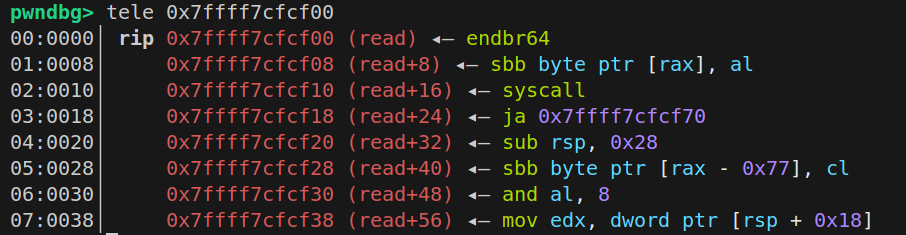
tele 地址(0x1234)
查看地址上的信息
stack
查看栈信息
可用stack 数字 来确定查看多少条信息
vmmap
查看各种段地址信息及权限
p 函数名
查看该函数地址
x/格式 地址
查看地址上信息
常用x/20gx 20表示显示20条信息,g是表示8字节,x表示16进制b
b *$rebase(偏移)
在开了PIE的程序下断点
注意要运行了才可下断点
ni
按汇编单步进行
si
按汇编单步
tele:
sendline与send 当程序限制read在0x20字节时,而我们要输入的长度恰好在0x20,一定要用send而不是sendline ,否则多余的\n可能会残留在缓冲区被下一个read读取/(ㄒoㄒ)/~~
黑名单 比如
1 2 3 4 5 6 7 8 9 10 11 12 13 import osprint ("input your command" )'cat' ,'ls' ,' ' ,'cd' ,'echo' ,'<' ,'${IFS}' ,'sh' ,'\\' ]while True :input ()for i in blacklist:if i in command:0 )
不允许直接使用 cat flag,/bin/sh等
可以使用/bin/*h同样可以进入system("/bin/sh")
原理:
1. 通配符 \* 的作用
* 在 Shell 中表示 匹配任意长度的任意字符 (包括空字符)。例如:
*h 会匹配所有 以 h 结尾 的文件或目录名。/bin/*h 则会匹配 /bin 目录下所有以 h 结尾的文件。
2. /bin 目录的典型内容
在大多数 Linux 系统中,/bin 目录下通常包含以下文件:
/bin/sh:Bourne Shell(或符号链接到其他 Shell,如 bash 或 dash)。其他文件如 /bin/bash、/bin/dash、/bin/cat 等,但 不会以 h 结尾 。
因此,执行 /bin/*h 时,通配符会扩展为 /bin/sh。
准备工作 1 2 3 4 5 6 7 8 9 10 11 12 13 14 15 16 17 18 19 20 21 22 23 24 25 26 27 from pwn import *'tmux' , 'splitw' , '-h' ]'amd64' , os = 'linux' )'debug' "node4.anna.nssctf.cn" , 22956 )"./pwn1" )def debug ():lambda s : r.send(s)lambda s, n : r.sendafter(s, n)lambda s : r.sendline(s)lambda s, n : r.sendlineafter(s, n)lambda n : r.recv(n)lambda s : r.recvuntil(s)lambda n : u64(r.recv(n).ljust(8 , b'\x00' ))lambda s : u32(r.recvuntil(s, drop=True , timeout=1 ).ljust(4 , b'\x00' ))lambda s : u64(r.recvuntil(s, drop=True , timeout=1 ).ljust(8 , b'\x00' ))lambda n : str (n).encode()lambda s, n : print ("\033[31m[" +s+"->" +str (hex (n))+"]\033[0m" )lambda : r.interactive()
关闭ASLR 为了方便调试,经常关闭ASLR
指令:
1
2
cat /proc/sys/kernel/randomize_va_space echo 0 | sudo tee /proc/sys/kernel/randomize_va_space
利用xinetd部署pwn题目 xinetd 一个开源项目
Eadom/ctf_xinetd: A docker repository for deploying pwnable challenges in CTF
可以很方便的部署pwn题目
bin 将里面的flag换成我们的flag,然后将里面的程序替换成我们的程序
ctf.xinetd 1 2 3 4 5 6 7 8 9 10 11 12 13 14 15 16 17 18 19 20 service ctfuser = root80 0.0 .0.0 1000 :1000 /home/ctf ./shellcode 10 20
Dockerfile 1 2 3 4 5 6 7 8 9 10 11 12 13 14 15 16 17 18 19 20 21 22 23 24 25 26 27 28 29 30 31 32 33 34 35 36 37 38 FROM ubuntu:22.04 RUN sed -i "s/http:\/\/archive.ubuntu.com/http:\/\/mirrors.tuna.tsinghua.edu.cn/g" /etc/apt/sources.list && \ apt-get update && apt-get -y dist-upgrade && \ apt-get install -y lib32z1 xinetd RUN useradd -m ctf WORKDIR /home/ctf RUN cp -R /usr/lib* /home/ctf RUN mkdir /home/ctf/dev && \ mknod /home/ctf/dev/null c 1 3 && \ mknod /home/ctf/dev/zero c 1 5 && \ mknod /home/ctf/dev/random c 1 8 && \ mknod /home/ctf/dev/urandom c 1 9 && \ chmod 666 /home/ctf/dev/* RUN mkdir /home/ctf/bin && \ cp /bin/sh /home/ctf/bin && \ cp /bin/ls /home/ctf/bin && \ cp /bin/cat /home/ctf/bin COPY ./ctf.xinetd /etc/xinetd.d/ctf COPY ./start.sh /start.sh RUN echo "Blocked by ctf_xinetd" > /etc/banner_fail RUN chmod +x /start.sh COPY ./bin/ /home/ctf/ RUN chown -R root:ctf /home/ctf && \ chmod -R 750 /home/ctf && \ chmod 740 /home/ctf/flag CMD ["/start.sh" ] EXPOSE 80
Docker
1 sudo docker build -t "pwn" .
随机数绕过 比如以 time 为种子,利用 ctypes 调用随机数函数来绕过
1 2 3 libc=CDLL('/home/yyyffff/glibc-all-in-one/libs/2.23-0ubuntu11.3_amd64/libc-2.23.so' ) seed=libc.time(0 ) 50